
Guides
How to Use and Charge a Crown Bar
How to Use and Charge a Crown Bar
Learning how to use Crown Bar devices from Al Fakher takes about two minutes.
Every model is draw-activated, so there are no buttons to press for a puff.
Still, each device adds its own features.
Some have airflow switches, one has an ice dial, and another fits onto a hookah.
In this guide, we cover first use, every control, charging, troubleshooting and storage. So bookmark it for later.
In this guide
Before Your First Puff
A little prep makes the first session better. Start with these quick checks.
- First, check the box for the model name, flavor and strength.
- Next, confirm the strength suits you, since models range from 0.5% to 5%.
- Then, remove all packaging, including any plastic film or silicone plug on the mouthpiece.
- After that, check the screen or light. If it shows a low battery, charge it first.
- Finally, let the device reach room temperature if it has been in a cold car.
Not sure about the strength line on the box? Our Metatine vs nicotine guide explains it.
Taking Your First Puff
Here is how to use Crown Bar devices for the very first time. The steps work on every model.
- First, place your lips around the mouthpiece.
- Next, draw slowly and steadily for two to three seconds. The device fires automatically.
- Then, remove the device and inhale gently, or draw straight to the lungs on DTL models.
- Finally, exhale and pause for a few seconds before your next puff.
Take it easy on the first few puffs.
That lets the coil soak and warm up, so flavor comes through fully.
MTL or DTL?
MTL stands for mouth-to-lung. You draw vapor into your mouth first, much like a cigarette.
DTL stands for direct-to-lung. You inhale straight into your lungs, which produces bigger clouds.
Low-strength hookah-style models suit DTL well. By contrast, 5% models usually feel better with MTL.
Controls by Model
Every Crown Bar shares the basics. However, each model adds its own twist.
| Model | Main control | Strength | Puffs |
|---|---|---|---|
| Crown Bar 8000 Pro | Boost and ECO modes | 5% (50mg) | 8,000 |
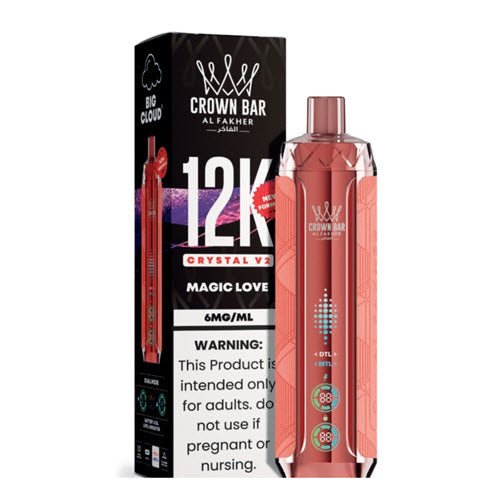
| Crown Bar 12K Crystal V2 | MTL/DTL airflow switch | 0.6% (6mg)* | 12,000 |
| Crown Bar 12K Sound | Bubbling sound effect | 5% (50mg) | 12,000 |
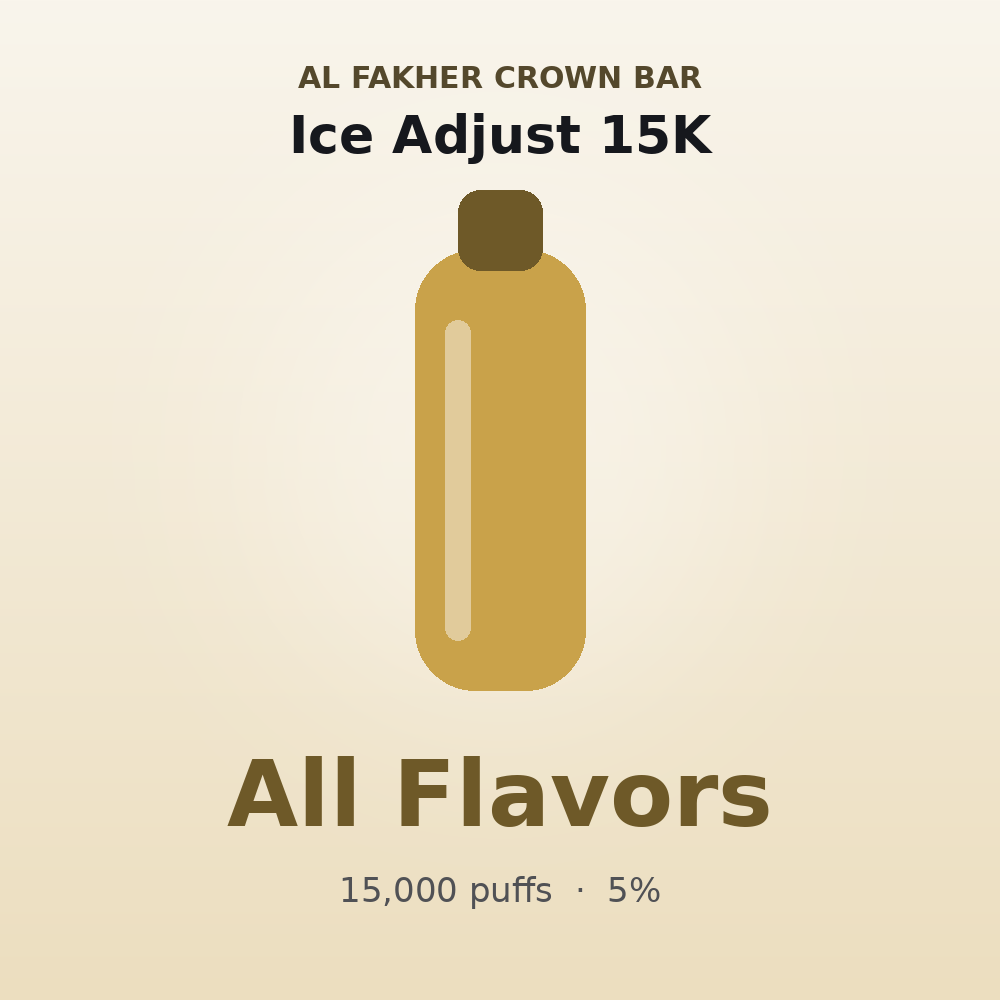
| Crown Bar Ice Adjust 15K | Ice dial and adjustable airflow | 5% (50mg) | 15,000 |
| Crown Bar Ultra 25K | Curved battery and e-liquid display | 5% (50mg) | 25,000 |
| Crown Bar Cloud Force MAX 50K | Adjustable airflow, hookah E-Head | 0.5% (5mg) | 50,000 |
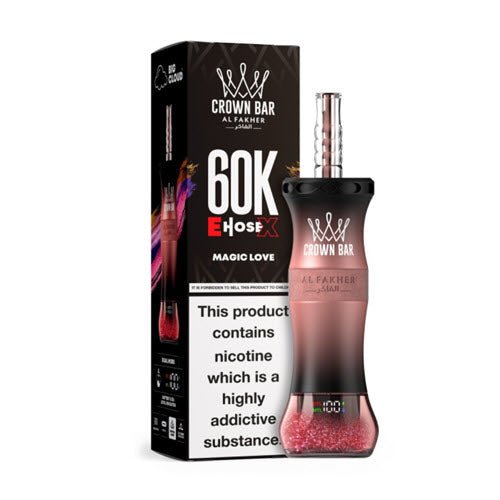
| Crown Bar 60K E-Hose X | MTL/DTL switch, curved screen | 0.6% (6mg)* | 60,000 |
| Crown Bar Cloud X 60K | DTL/MTL switch | 0.6% (6mg)* | 60,000 |
Using the Airflow Switch
The 12K Crystal V2, 60K E-Hose X and Cloud X 60K all have an airflow switch.
Slide or turn it to move between MTL and DTL.
A tighter setting concentrates flavor, while an open setting creates bigger, cooler clouds. So experiment until it feels right.
Using the Ice Dial
The Crown Bar Ice Adjust 15K has a cooling dial.
Turn it up for more chill, or down for a gentler finish.
Start in the middle, then adjust after a few puffs. Also, remember that icy flavors already carry some cooling.
Using Boost and ECO Modes
The Crown Bar 8000 Pro offers Boost and ECO modes. Boost gives a fuller hit, while ECO stretches battery life.
Check the instructions in the box for the exact switch position, since designs can change between batches.
Using the Cloud Force MAX 50K as a Hookah Head
First, charge the device fully. Next, remove the bowl from your hookah and seat the E-Head in its place.
Then attach your hose and draw slowly, just like a normal session.
Finally, follow the box instructions for your specific hookah.
How to Charge a Crown Bar
Every Crown Bar model recharges through a USB-C port. Charging is simple, yet a few habits help the battery last.
- First, plug a standard USB-C cable into the port.
- Next, connect it to a regular wall adapter or computer port.
- Then, watch the screen or light for the charge level.
- Finally, unplug once it shows full.
How Long Does Charging Take?
Charge time depends on battery size and your charger. Smaller batteries, like the 600mAh 8000 Pro, fill fastest.
By contrast, the 2200mAh Cloud Force MAX 50K takes longest.
So charge it before a long session rather than during one.
Charging Tips
- Use a standard cable and adapter rather than a high-output fast charger.
- Avoid charging on beds or sofas, where heat can build up.
- Unplug once full, instead of leaving it on charge overnight.
- Never charge a device that looks damaged, swollen or wet.
Reading the Screen
Most Crown Bar models show battery and e-liquid levels. Some also show the airflow mode.
- Battery level: shows how much charge remains, so you know when to plug in.
- E-liquid level: shows how much juice is left, which tells you when to reorder.
- Mode: on models with a switch, it shows your current setting.
If the e-liquid reads empty, stop using the device. Otherwise, you will get a dry, burnt taste.
Troubleshooting Common Problems
The Light Is Blinking
Usually, this means a low battery. So charge it fully and try again.
Also, some devices blink after a very long drag as a safety cutoff. In that case, just take shorter puffs.
No Vapor or No Hit
First, charge the device. Next, check that the airflow is open and the mouthpiece is clear.
Then, make sure no packaging remains on the device. Finally, try a slower, longer draw.
Burnt or Dry Taste
A burnt taste often means the e-liquid is empty. Check the screen first.
However, chain vaping can also overheat the coil. So pause for a few seconds between puffs.
Gurgling or Spitting
Small amounts of condensation can build up in the mouthpiece. Tap the device gently against your palm to clear it.
Also, avoid drawing too hard, since that can pull liquid into the airway.
Leaking
Heat and pressure changes are the usual causes. So store the device upright and keep it out of hot cars.
Weak Flavor
First, recharge, since low power mutes flavor. Next, try MTL mode on switch-equipped models.
If flavor still feels flat near the end, the e-liquid may be running low.
In that case, it is time for a new device.
For more fixes, see our Crown Bar FAQ.
Device-by-Device Quick Start
Here is a fast start guide for each model.
Knowing how to use Crown Bar features on your specific device makes every session better.
Crown Bar 8000 Pro
Draw slowly to fire it. Then pick Boost for a fuller hit or ECO for longer battery life.
It runs at 5%, so short, steady puffs work best.
Crown Bar 12K Crystal V2
Start in MTL for more flavor. Then slide to DTL for bigger clouds. The screen shows battery and e-liquid levels.
Crown Bar 12K Sound
Draw gently and listen for the soft bubbling sound. It runs at 5%, so short, steady puffs work best.
Crown Bar Ice Adjust 15K
Set the ice dial to the middle first. Then turn it up or down after a few puffs.
Adjust the airflow the same way.
Crown Bar Ultra 25K
Check the curved display for battery and e-liquid. It runs at 5%, so MTL-style puffs feel most comfortable.
Crown Bar Cloud Force MAX 50K
Use it handheld, or seat it on your hookah as an E-Head. Its 2200mAh battery lasts through long sessions.
Crown Bar 60K E-Hose X
Pick MTL or DTL with the switch. Then check the curved screen for battery, e-liquid and mode.
Crown Bar Cloud X 60K
Start in DTL for big clouds. Then switch to MTL if you want a tighter, more flavorful draw.
Getting the Best Flavor
Flavor depends on more than the e-liquid. Small habits make a big difference.
- First, keep the battery above a quarter, since low power mutes flavor.
- Next, take slow draws of two to three seconds rather than sharp pulls.
- Also, try MTL mode when you want more sweetness and detail.
- Then, rotate between two or three flavors so your palate stays sharp.
- Finally, drink water, because a dry mouth dulls taste.
If a flavor still seems weak, try it on a different device.
For instance, dual mesh coils on the 60K E-Hose X often taste fuller.
Battery Health Explained
Lithium batteries last longest when you treat them gently. Luckily, that takes very little effort.
First, avoid draining the battery completely every time. Instead, recharge when it drops low.
Next, keep the device out of extreme heat or cold. Both can reduce battery capacity.
Also, unplug once the battery shows full. As a result, the battery stays healthy until the e-liquid runs out.
Traveling With Your Crown Bar
Flying with a vape is allowed in the US, although strict rules apply.
- Pack vapes in your carry-on bag, never in checked luggage, because of the lithium battery.
- Do not vape or charge the device on the plane.
- Check the rules at your destination, since some places restrict vapes.
- Keep devices in a small pouch to protect them from pressure and knocks.
Also, cabin pressure changes can cause small leaks. So store the device upright and wrap it in a tissue.
Safety Warnings
- Crown Bar devices are for adults 21 and over only.
- Do not use them if you are pregnant or do not already use nicotine.
- Stop using a device that gets hot, swells, leaks heavily or smells burnt.
- Keep e-liquid away from skin and eyes, and away from children and pets.
Understanding Puff Counts
Every Crown Bar lists a rated puff count, from 8,000 to 60,000.
However, that number comes from lab testing with short, regular puffs.
In real life, long pulls use more e-liquid and battery.
So a heavy user may see fewer puffs than the box says.
By contrast, light users often get close to the rated number.
Therefore, treat puff counts as a guide rather than a promise.
The e-liquid indicator gives the most accurate picture. So check it rather than counting puffs.
When to Replace Your Device
Every disposable reaches the end eventually. Here are the signs that it is time.
- The e-liquid indicator reads empty or near empty.
- The taste turns dry or burnt, even after charging.
- Vapor production drops sharply on a full battery.
- The device no longer fires when you draw.
When you reach that point, a 5-pack bundle saves you 10% on the next round.
Common Mistakes New Users Make
- Drawing too hard. A gentle, steady pull works better and prevents spitting.
- Chain vaping. Rapid puffs overheat the coil and burn the wick.
- Ignoring the battery. Low power mutes flavor long before the e-liquid runs out.
- Picking the wrong strength. A 5% device can feel harsh for hookah smokers.
- Leaving it in the car. Heat can cause leaks and weaken the battery.
Avoid these, and your device should taste great from start to finish.
Getting the Most From Hookah-Style Models
The Cloud Force MAX 50K, 60K E-Hose X and Cloud X 60K run at 0.5% to 0.6%.
So they reward a different style.
Take longer, slower pulls, much like you would on a hookah hose. Then exhale slowly to enjoy the full cloud.
Also, try DTL mode on the E-Hose X or Cloud X. It feels closest to a real lounge session.
Our hookah vape guide compares all three in detail.
Care and Storage
- Store devices upright to reduce leaks.
- Keep them away from direct sun, hot cars and freezing temperatures.
- Wipe the mouthpiece now and then with a dry cloth.
- Keep every device away from children and pets, since e-liquid is toxic if swallowed.
- Never open, modify or refill a disposable.
Good storage keeps flavor consistent right to the last puff. Plus, it reduces the chance of leaks.
Storing Spare Devices
Buying in bulk saves money, so many people keep a few spares. Stored well, they stay fresh for months.
- Keep spares sealed in their original boxes until you need them.
- Store them in a cool, dry drawer away from sunlight.
- Charge a new device briefly before first use if it has sat for a long time.
- Rotate stock so you use the oldest devices first.
Follow these steps, and every spare should taste as fresh as the day it arrived.
Understanding Strength Labels
Strength labels can look confusing at first. However, they follow a simple pattern.
A percentage shows the share of active compound in the e-liquid. For example, 5% means 50mg per milliliter.
Likewise, 0.5% means 5mg per milliliter, one tenth as strong. So small percentage changes make a big difference.
Some boxes also name the compound, either nicotine or Metatine. Therefore, read both lines before your first puff.
If you are new to vaping, start low and go slow. Then adjust once you know how a device feels.
How to Dispose of a Crown Bar
Crown Bar devices contain lithium batteries. Therefore, they should not go in regular household trash.
Instead, take them to a battery or e-waste drop-off point. Many local hazardous waste programs accept them.
Also, some vape shops run take-back programs. Check your local rules, since they vary by city and state.
Quick Tips for a Better Session
- First, take slow, steady pulls rather than sharp ones.
- Next, pause between puffs to protect the coil.
- Also, keep the battery topped up for full flavor.
- Finally, rotate flavors from our flavor guide to keep your palate fresh.
Want to compare models before you buy? Read our Crown Bar ranking.
FAQ
How to use Crown Bar vapes for the first time?
Remove the packaging, then draw slowly for two to three seconds. The device fires automatically.
Do Crown Bars have a button?
No. Every model is draw-activated, so you just inhale.
Can I charge a Crown Bar with my phone charger?
Yes, with a standard USB-C cable. However, avoid very high-output fast chargers.
Can I vape while it charges?
It is best not to. Unplug it first, then vape.
Why is my Crown Bar blinking?
Usually, the battery is low. Charge it fully and try again.
Can I refill a Crown Bar?
No. Disposables and hookah pens come prefilled and sealed.
How do I know when it is empty?
The e-liquid indicator will read low, and the taste will turn dry or burnt.
Final Thoughts
Now you know how to use Crown Bar devices, from first puff to final charge.
The basics take minutes, while the extras reward a little experimenting.
So try the airflow switch, play with the ice dial and keep the battery topped up.
Then enjoy every flavor at its best.
If something still does not feel right, reach out to us. We are happy to help you troubleshoot any model.
WARNING: This product contains nicotine. Nicotine is an addictive chemical. For adults 21+ only.
